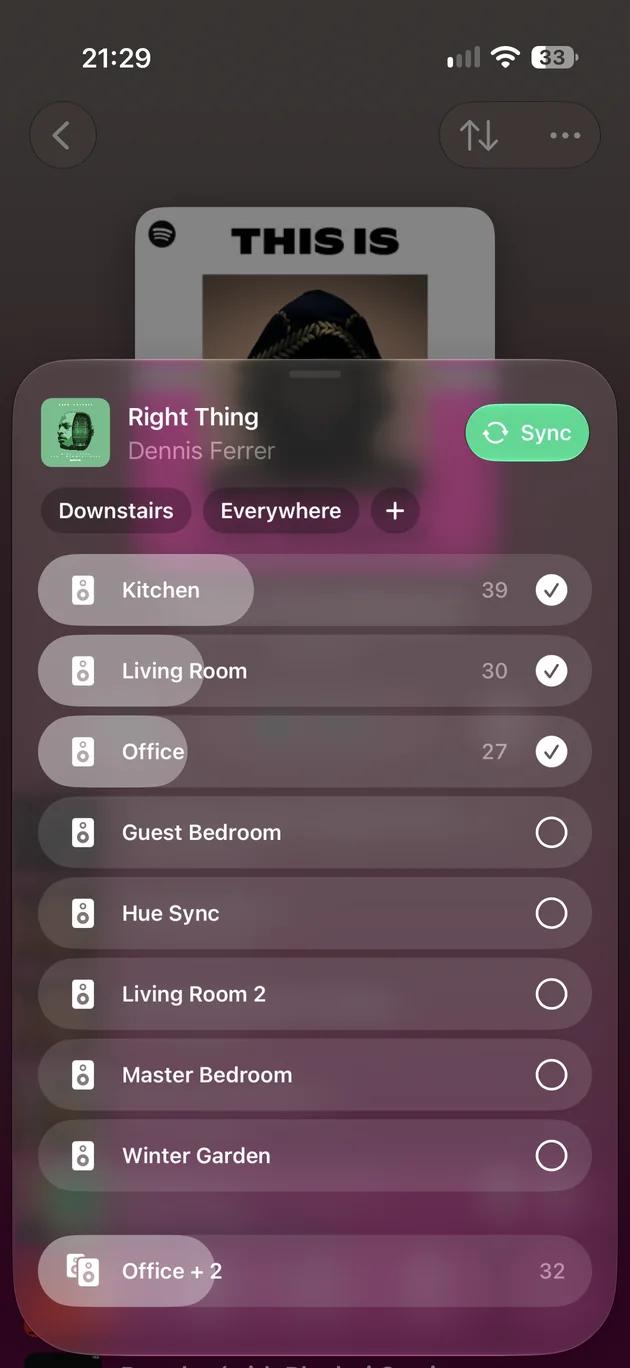
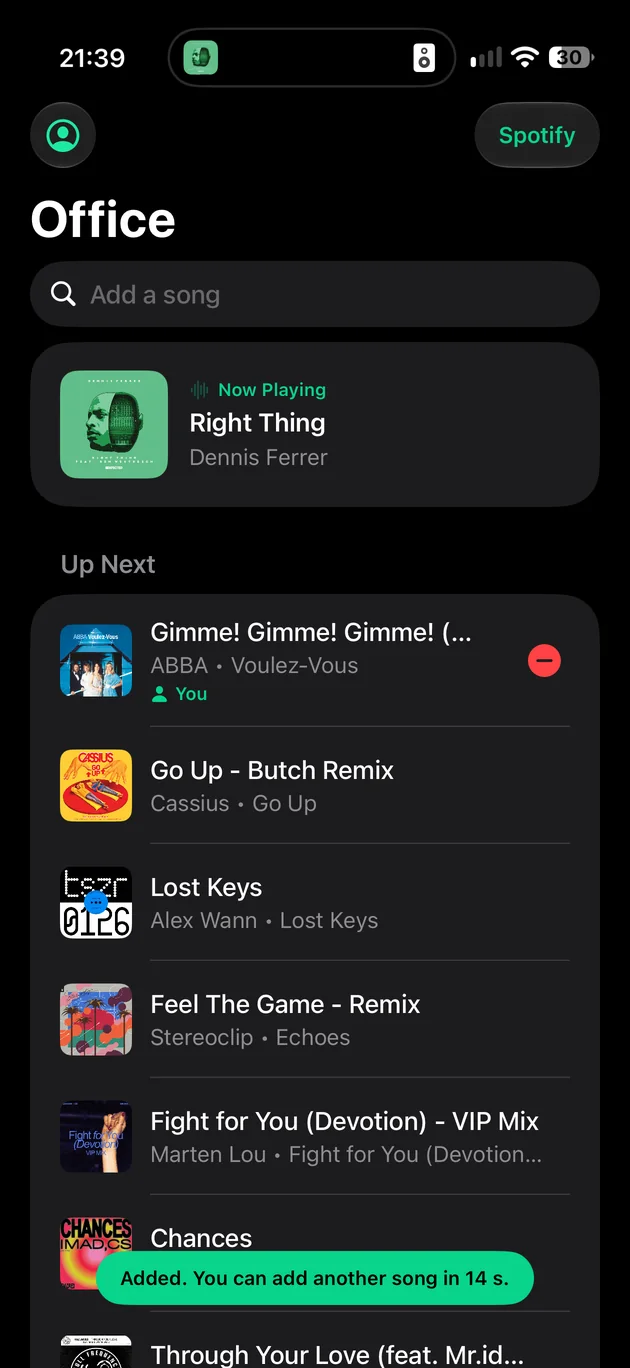
Group the whole house in a tap. Tick the rooms, drag their volumes, or pick an area like Downstairs.
Sonify
The fast, independent controller for Sonos. Made for iPhone, iPad and Apple Watch, and on Android, Mac, Windows and the web too.
iPhone and iPad need iOS 17 or later; every version needs a Sonos S2 system. Or try the demo household.
Group the whole house in a tap. Tick the rooms, drag their volumes, or pick an area like Downstairs.
Rooms, volumes and music, saved as one button. Run a scene from Home, a widget, Siri or an NFC tag.
Let the house run itself. Music at 07:00 on weekdays, at sunset, or when the TV comes on. PRO
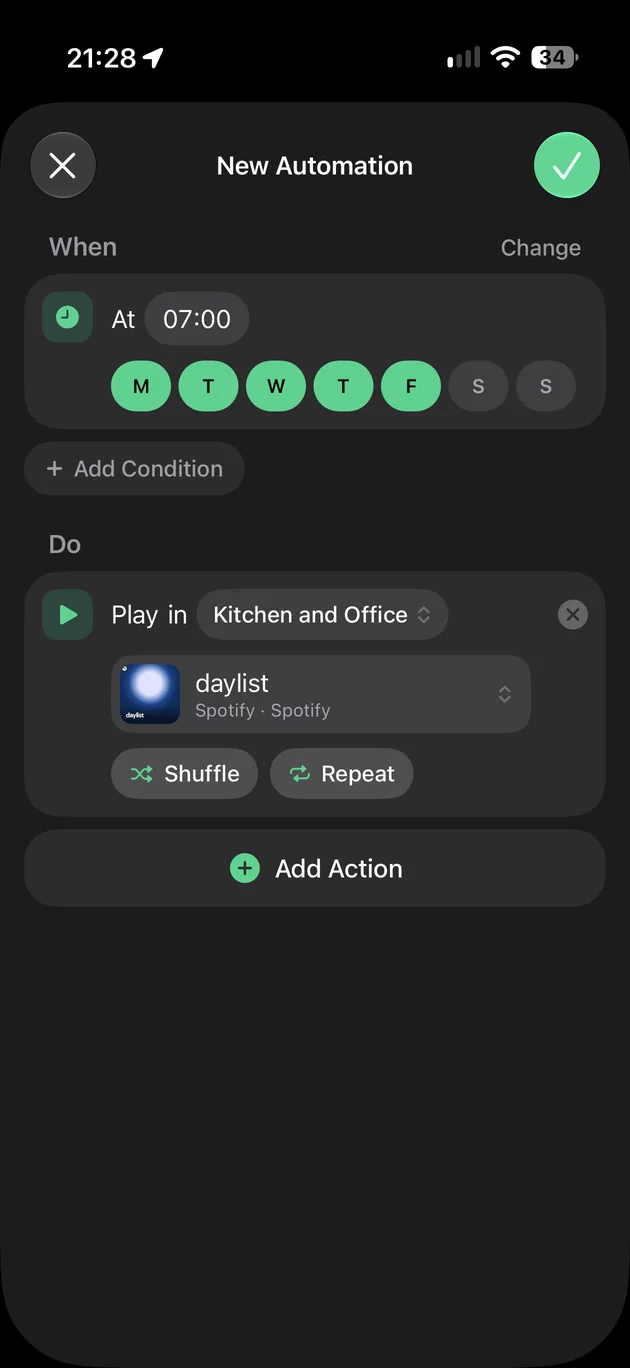
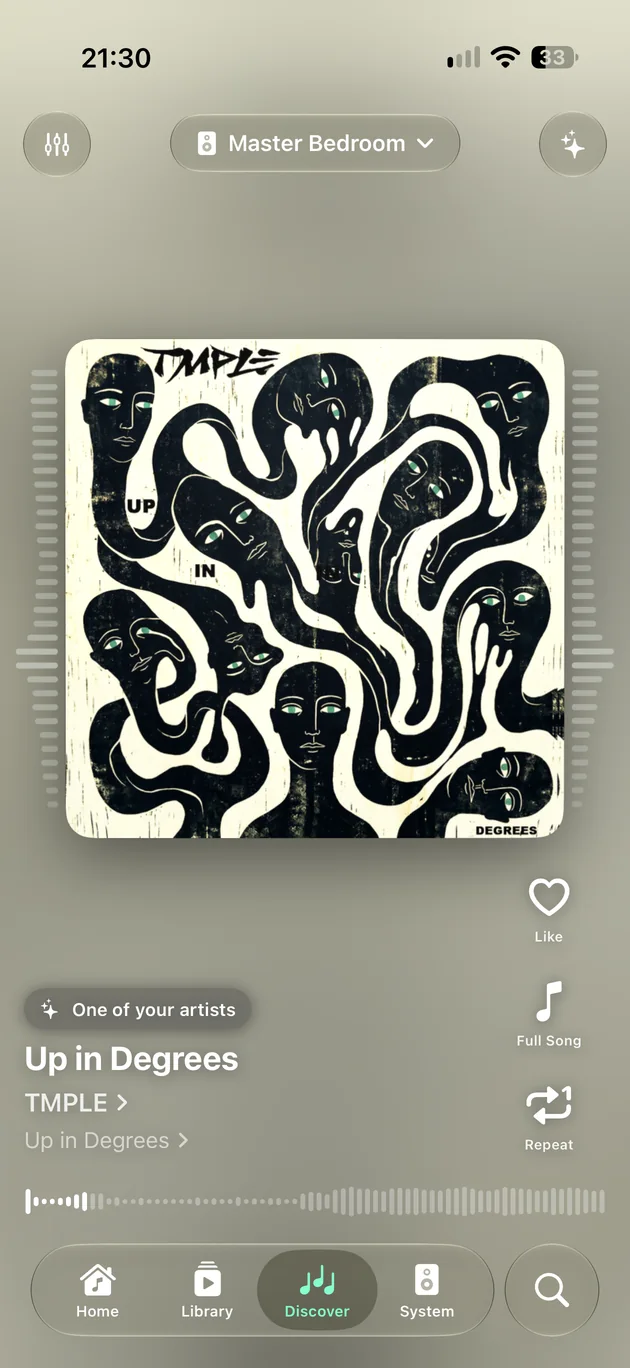
Discover something new, on your speakers a swipe at a time. PRO
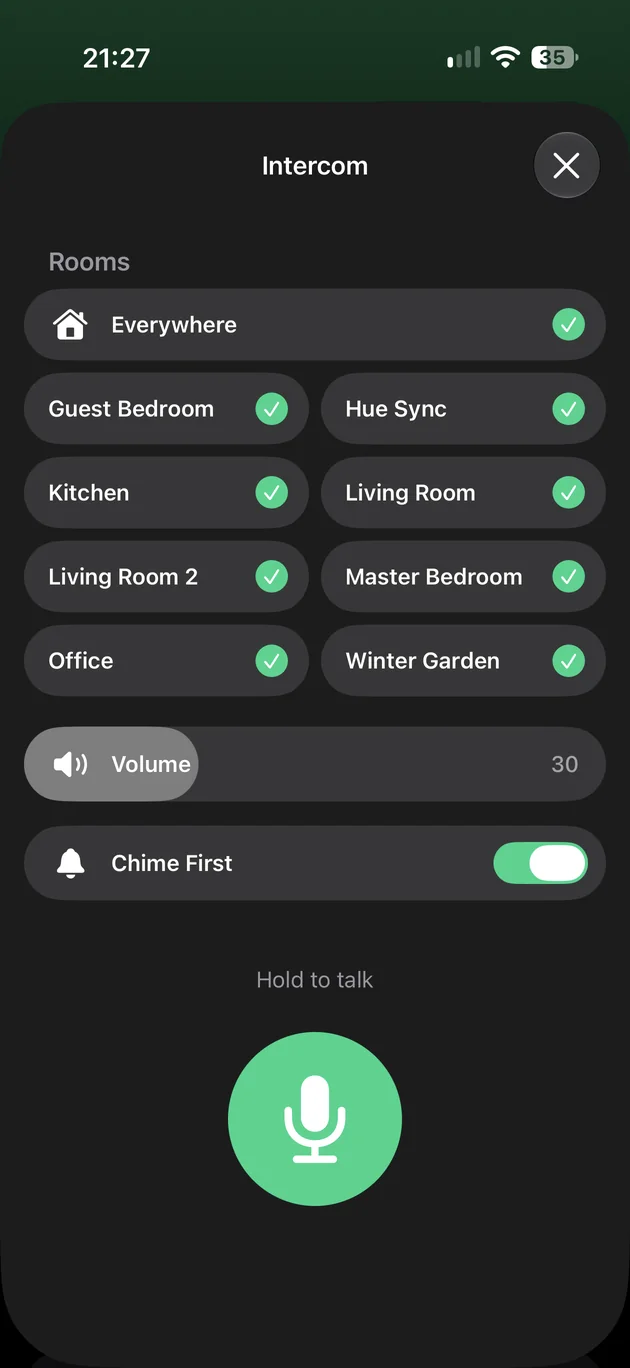
Speak to any room. Hold, speak, let go. Your voice plays in the rooms you choose, then the music comes back. PRO
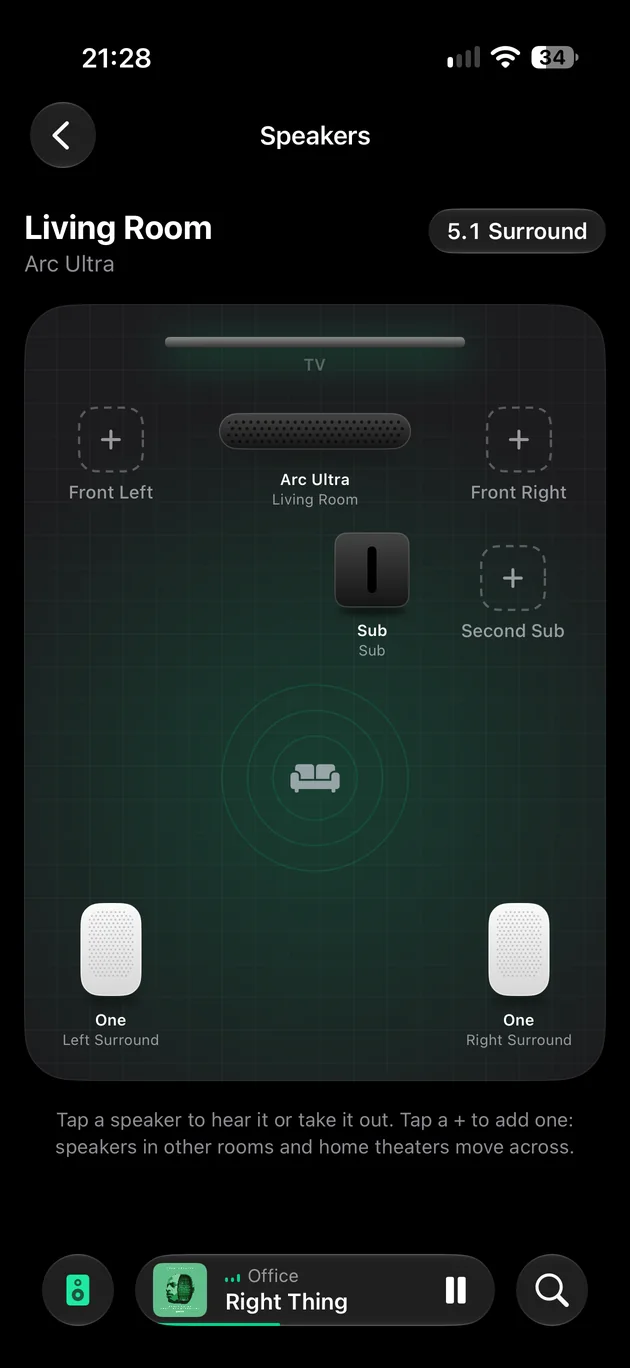
Your home theatre, laid out as it stands. Tap a speaker to hear it, take it out, or add one.
Let your guests pick the music. They scan a code and add songs to the queue. PRO
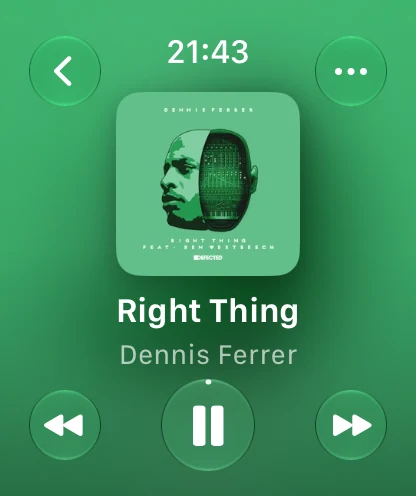
On your wrist. What’s playing in any room, with play, pause, skip, and volume on the Digital Crown.
iPhone
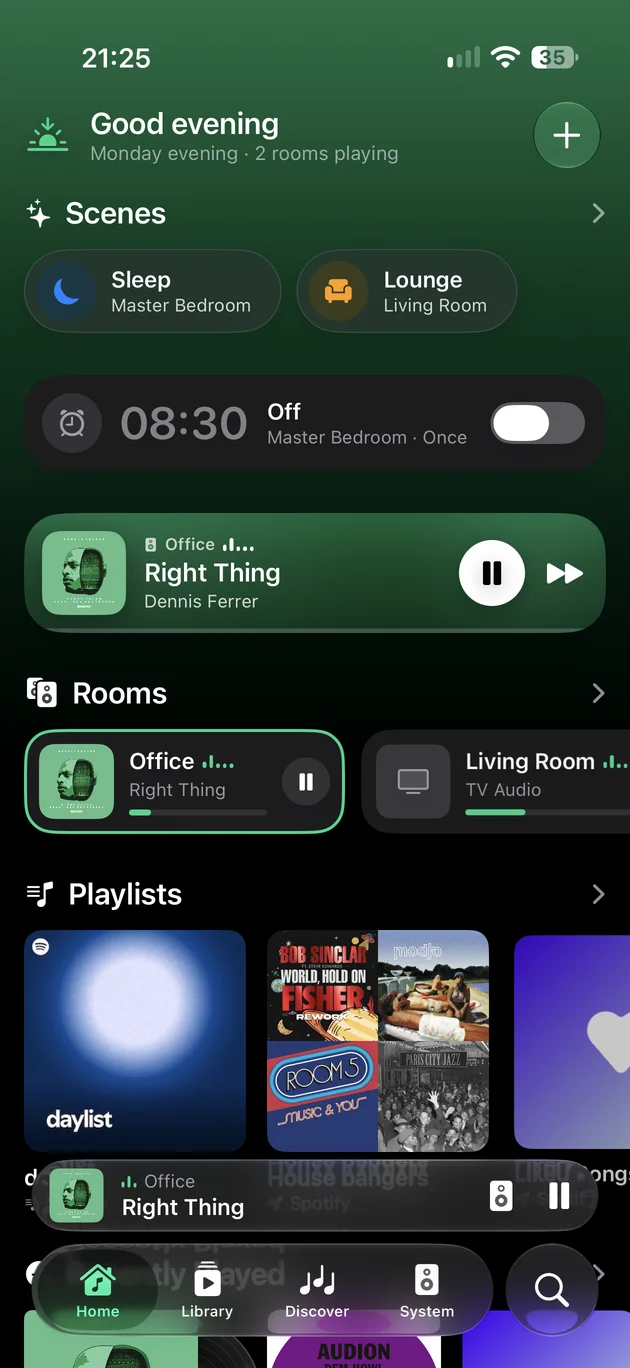
Home
Favourites, playlists and what you played last, from every service you use, together on Home. Your scenes and the next alarm sit at the top.
Rooms
Every row is a volume slider. Tick a room to join it, tap an area to group the lot, and press Sync to level them.
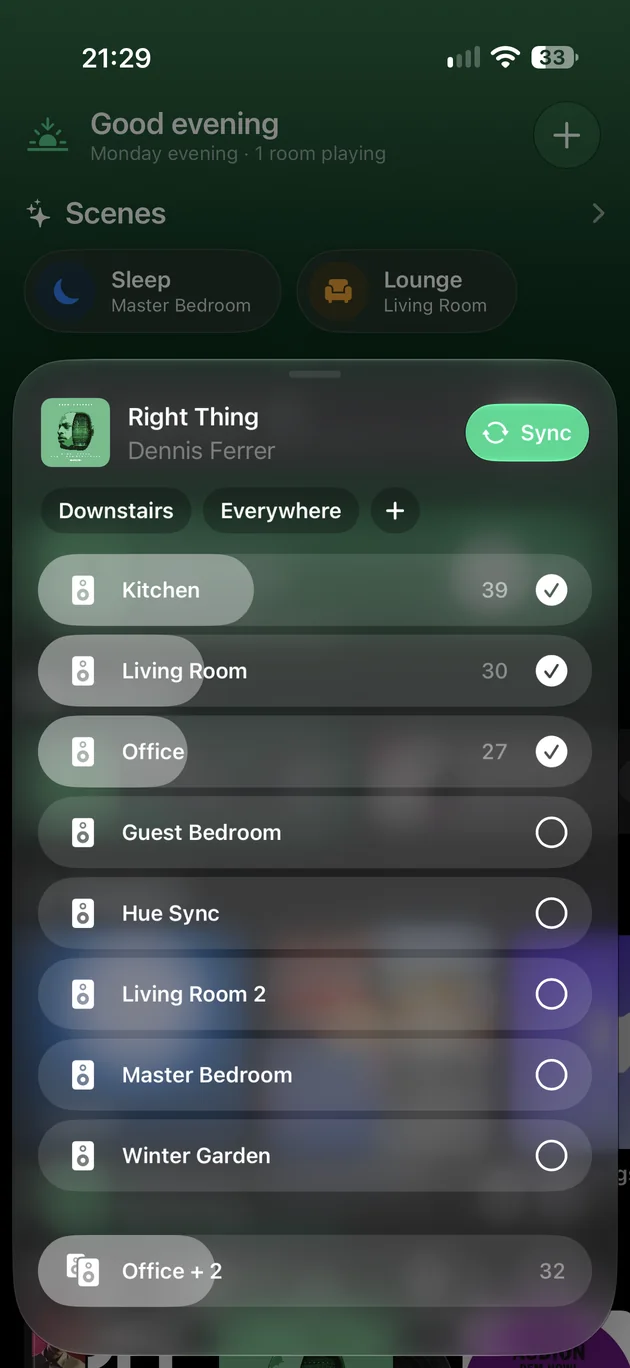
System
What each room is playing and how loud, with play, pause and Pause All right there. The megaphone opens the intercom.
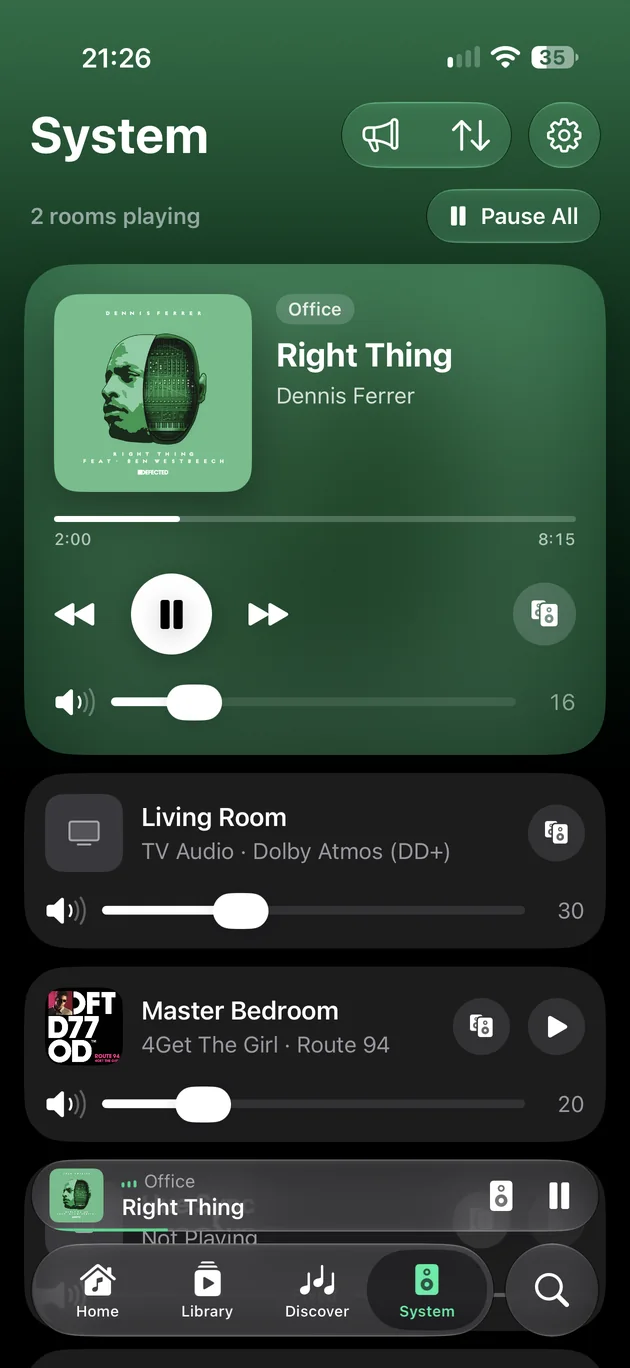
Now Playing
The screen takes on the colours of the artwork. Lossless and Atmos badges, time remaining, lyrics and a sleep timer are a tap away.
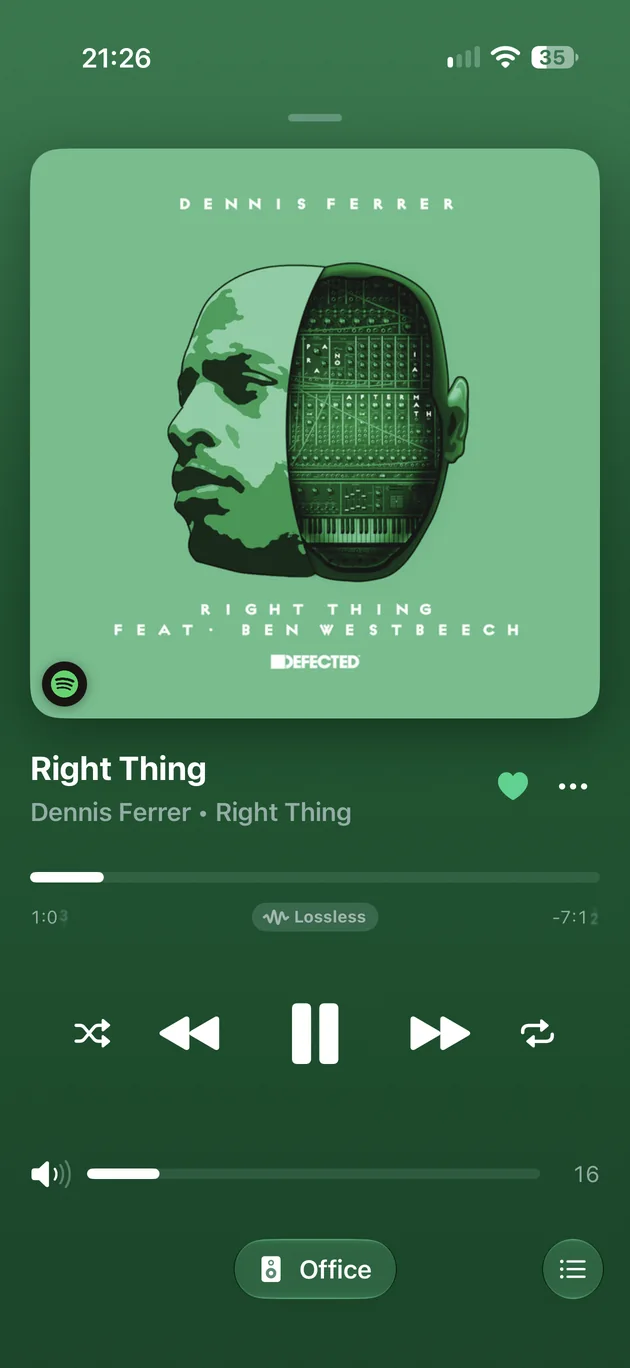
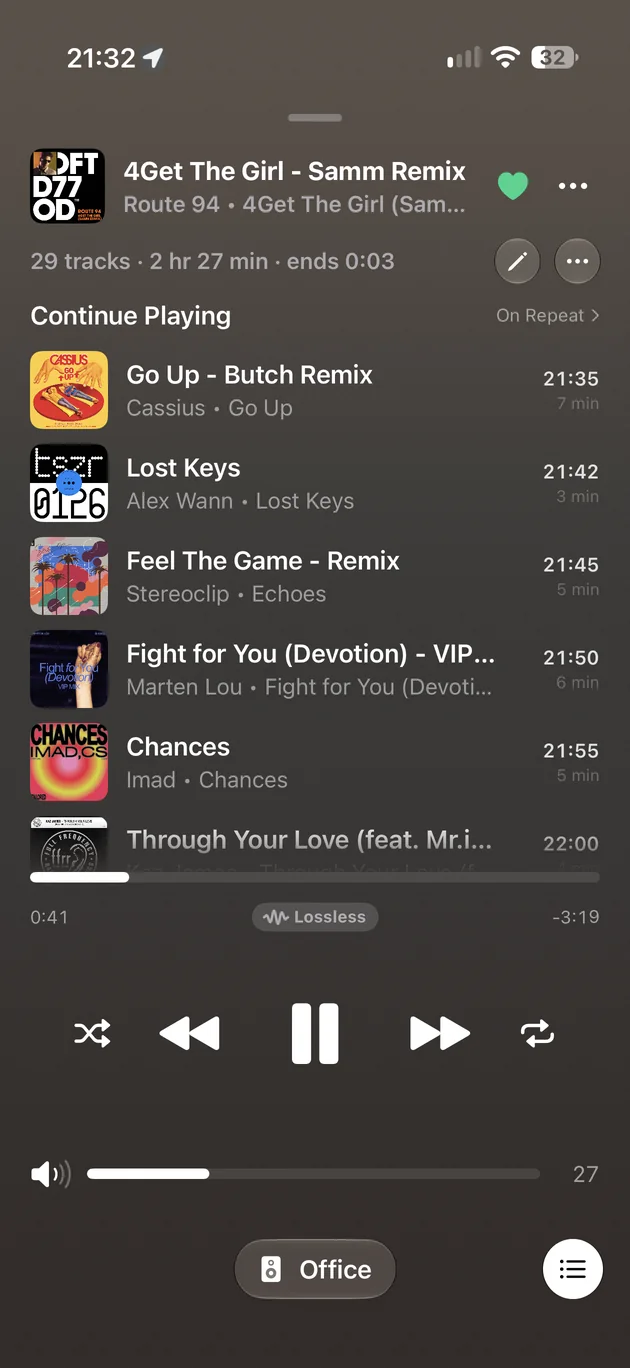
Queue
What you add with Play Next sits above the album you were playing, which carries on afterwards. Every song shows when it will start.
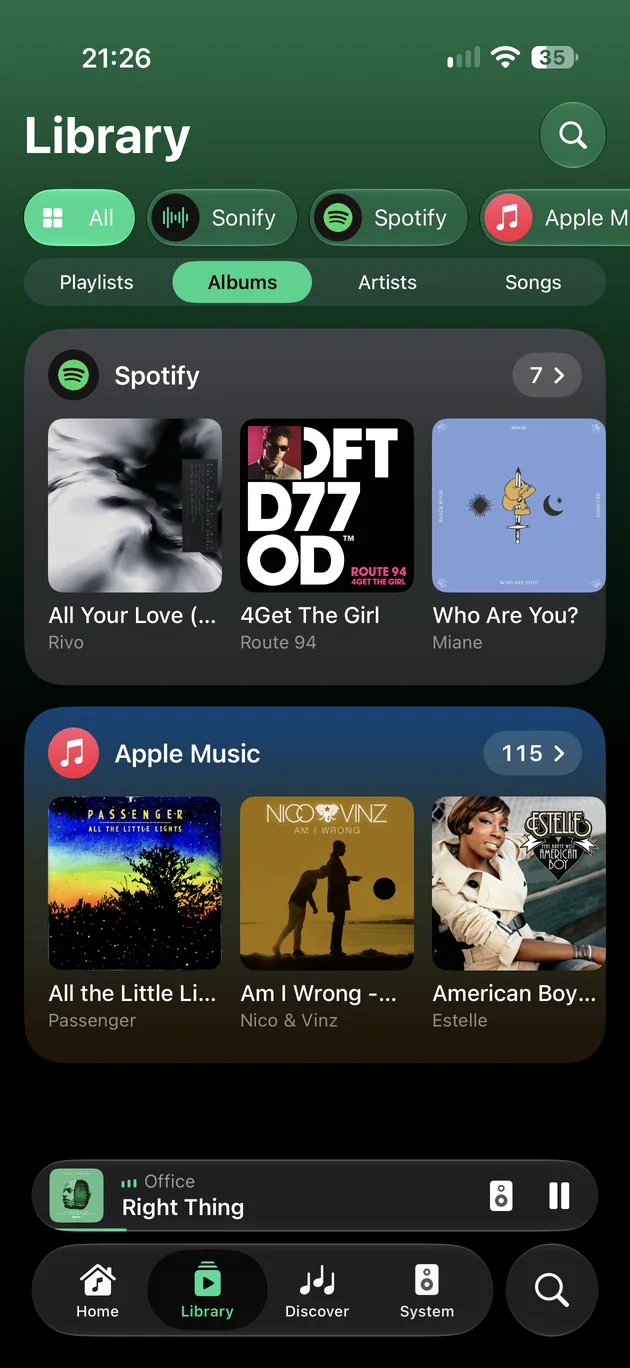
Library
Albums, artists, playlists and songs from Spotify, Apple Music, SoundCloud, your local library and more, as shelves of covers. Pin anything to Home.
Scenes
A scene remembers which rooms play, how loud each one is, what to play and how to play it. Set it up once. After that it’s a button.
Rooms with their own volumes. An album, playlist or station. Shuffle, repeat, crossfade and a sleep timer. And, if you like, an EQ preset for every room in it.
Scroll, or pick a scene to see what it holds.
Plays
Rooms
Search and Library
Type once and Sonify asks all your music services together, grouping the results by service as they arrive. Or choose one service and narrow it by category.
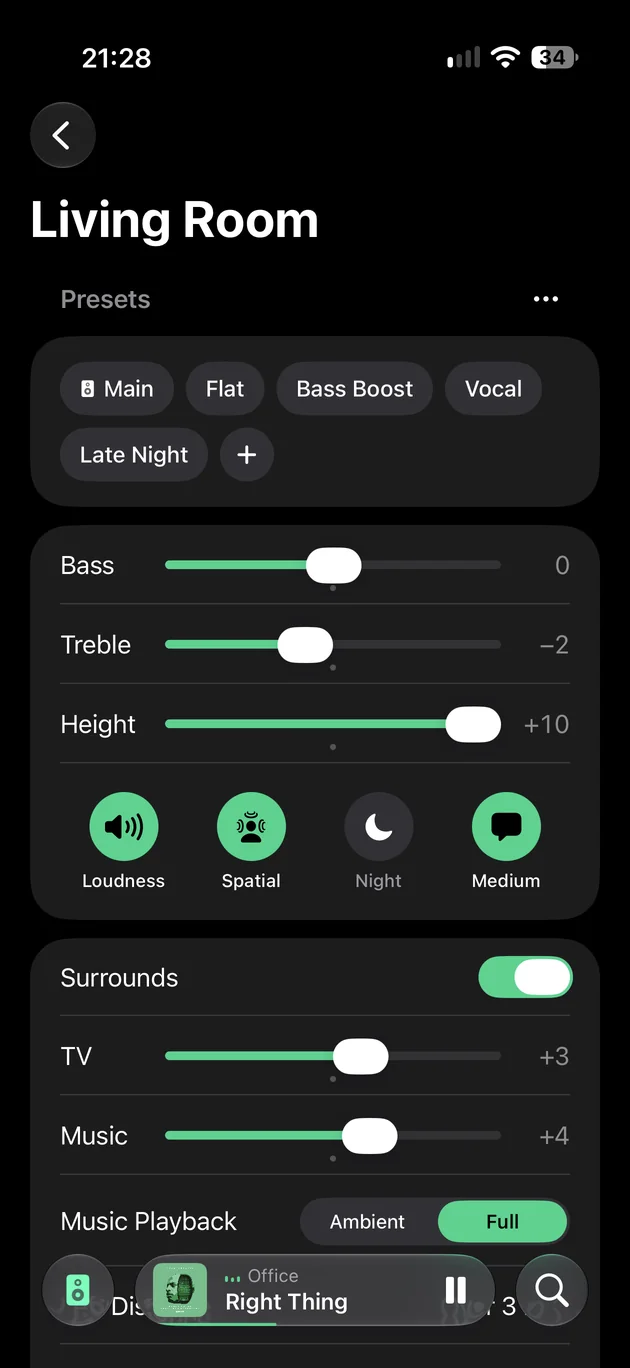
Sound
Bass, treble, loudness and height for each room, saved as presets you can apply again, by hand or from a scene.
NFC tags
Put an album, playlist, station, track or scene on an NFC tag. Hold your iPhone near it later and Sonify opens and plays it, in the rooms you chose.
On iPhone. Tags are not included. A scene’s tag works on the iPhone the scene was made on; music tags work on any iPhone with Sonify on the same system. Tags written by earlier versions of Sonify keep working.
Party Jukebox PRO
Guests on your Wi‑Fi scan a code and add songs to the queue, without installing anything: an App Clip on iPhone, a web page on anything else.
Sonify Pro
Automations, Listening Stats, Remote Control, Lyrics, Discover, Intercom, Party Jukebox and the Apple TV Remote.
Automations
Your system acts by itself, at the times you set. Sonify’s server runs it through your Sonos account, so nothing has to be open.
Start music, set volumes or run a scene at a time of day, at sunrise or sunset, when a room starts playing, when the TV comes on, and more.
Listening Stats
Your top tracks, artists and rooms, for any week, month or year, and what that says about how your home listens.
Remote Control
Sonify reaches your system from anywhere, through your Sonos account. See what’s playing at home, turn it down, or start it before you’re back.
Bought in the app. Subscriptions renew until you cancel in your App Store settings.
iPad
From iPad mini up, in either orientation, there’s space for every shelf and every room at once.
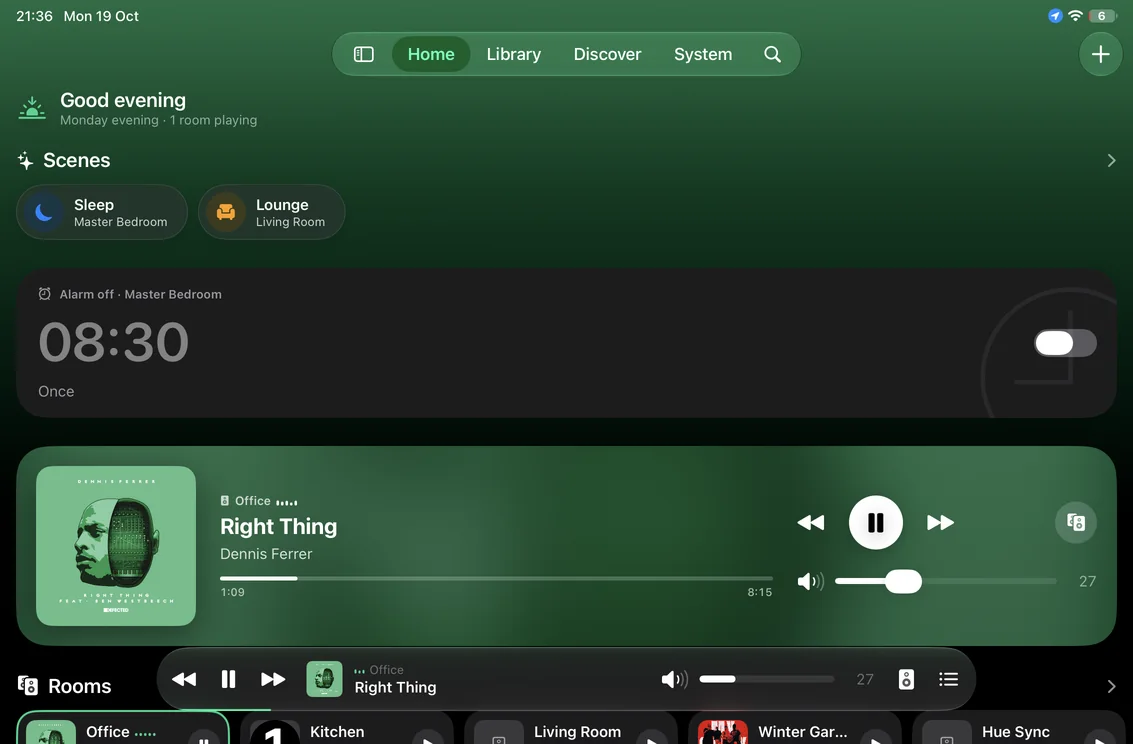
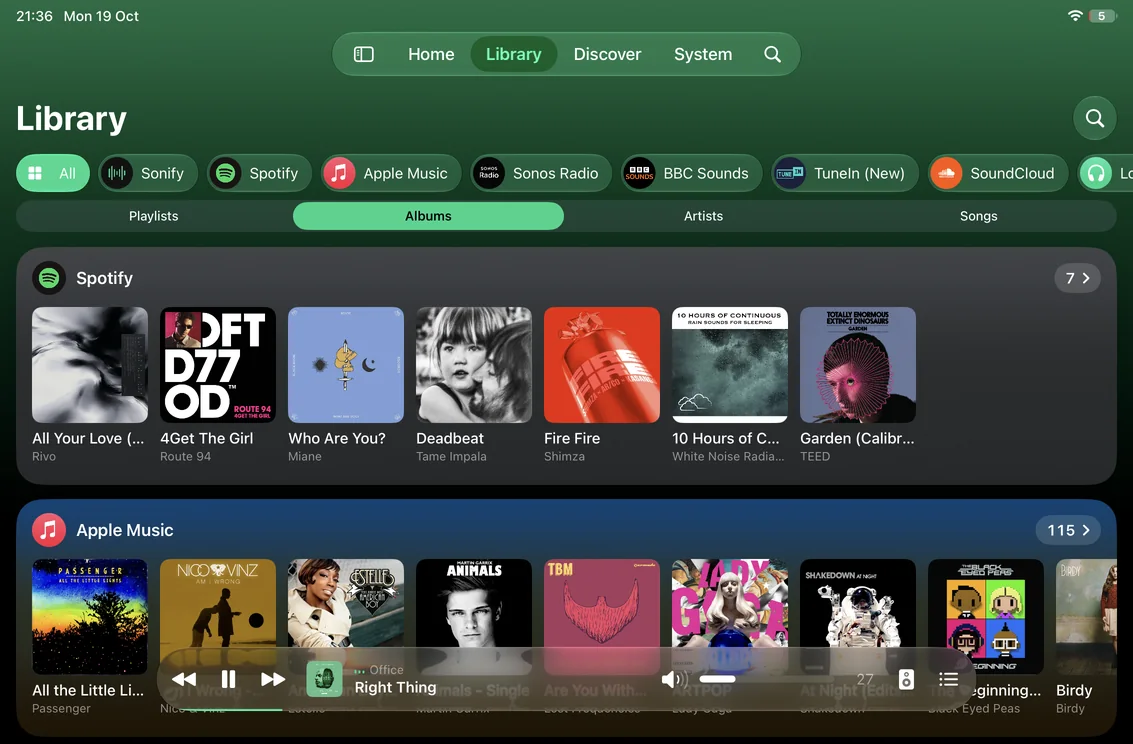
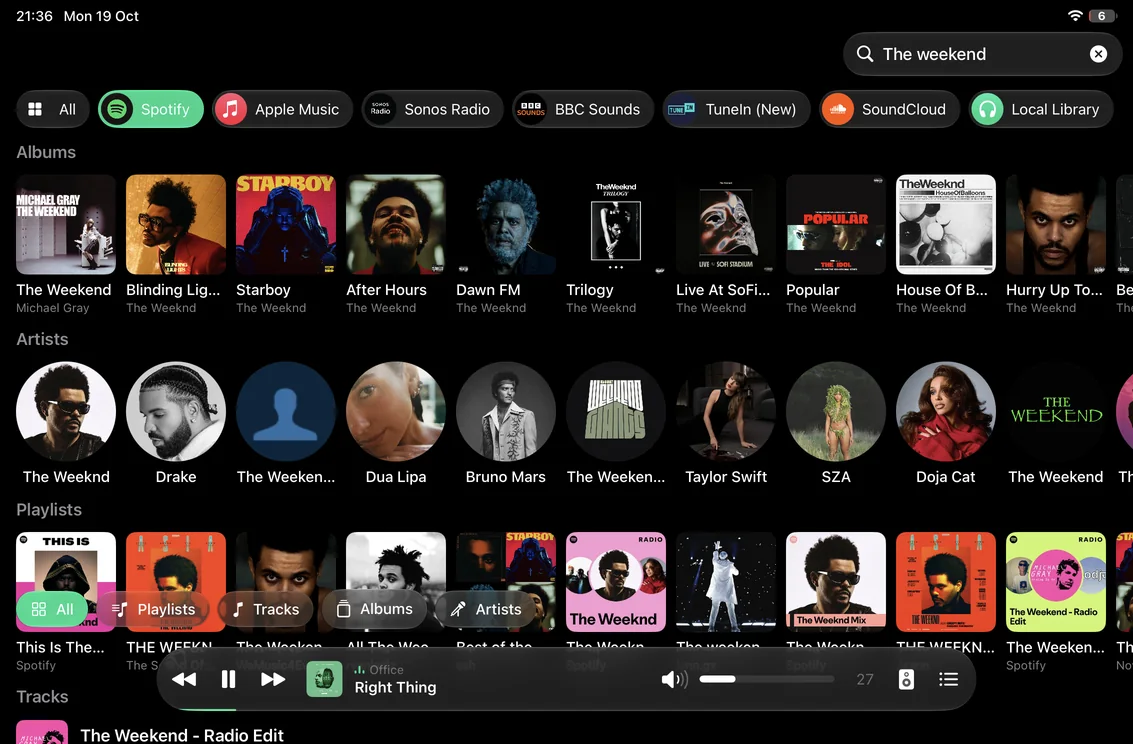
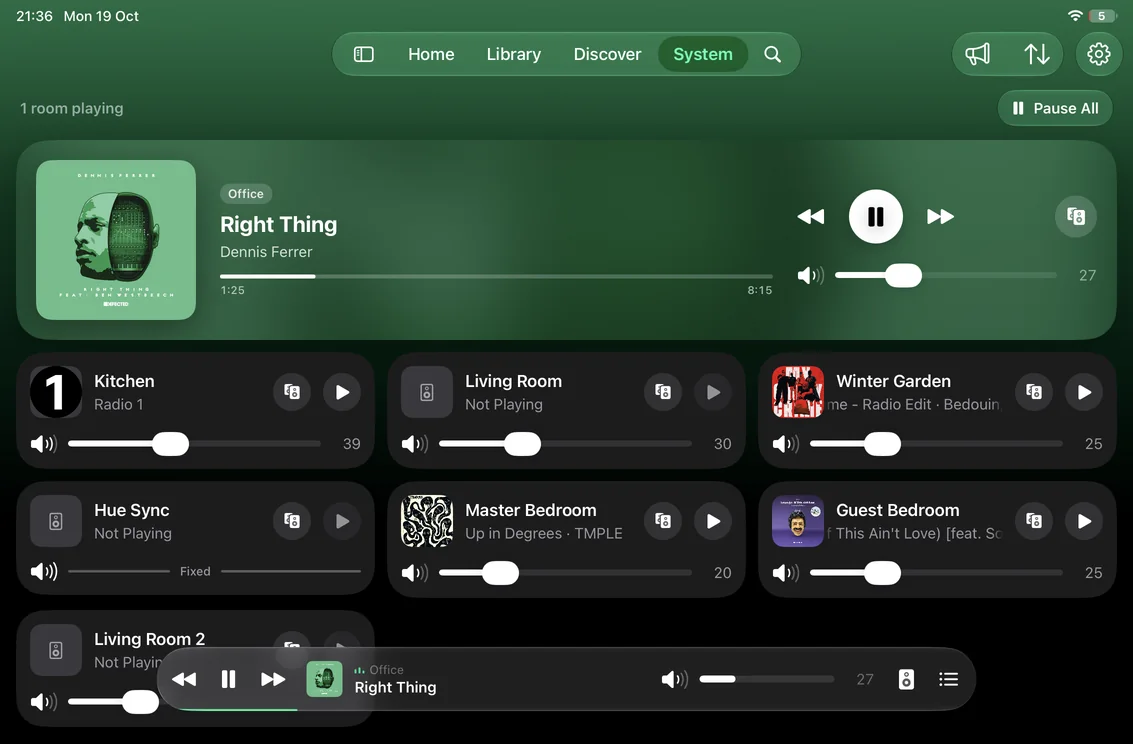
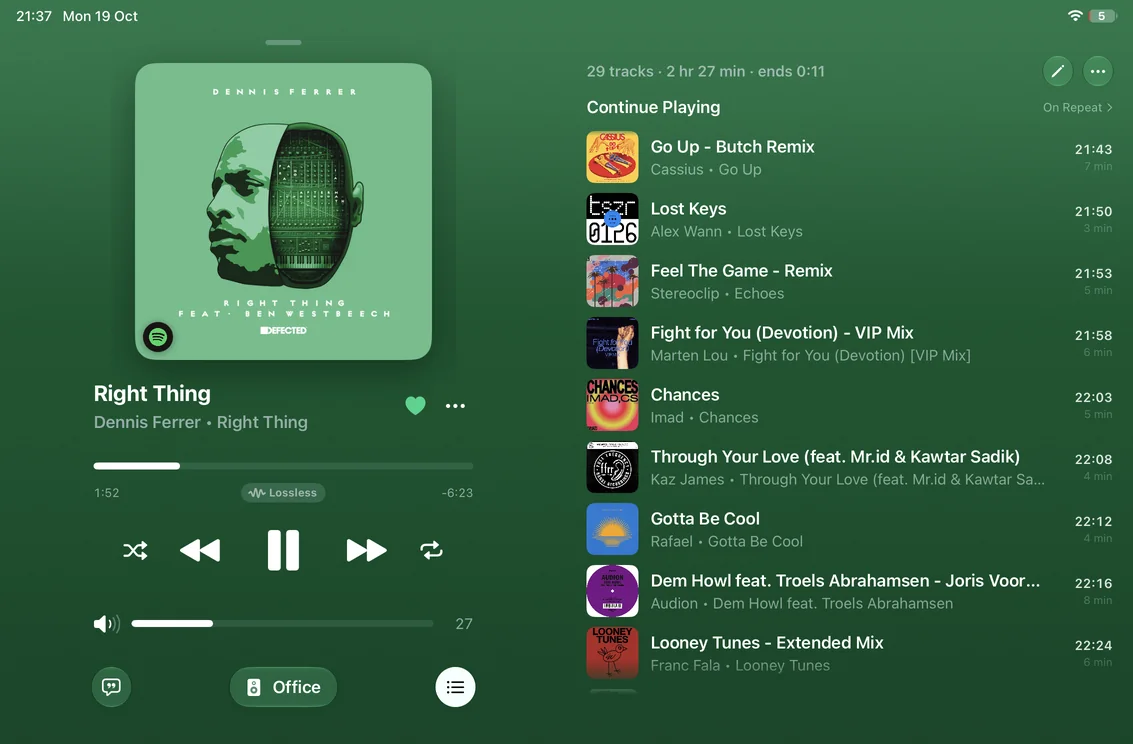
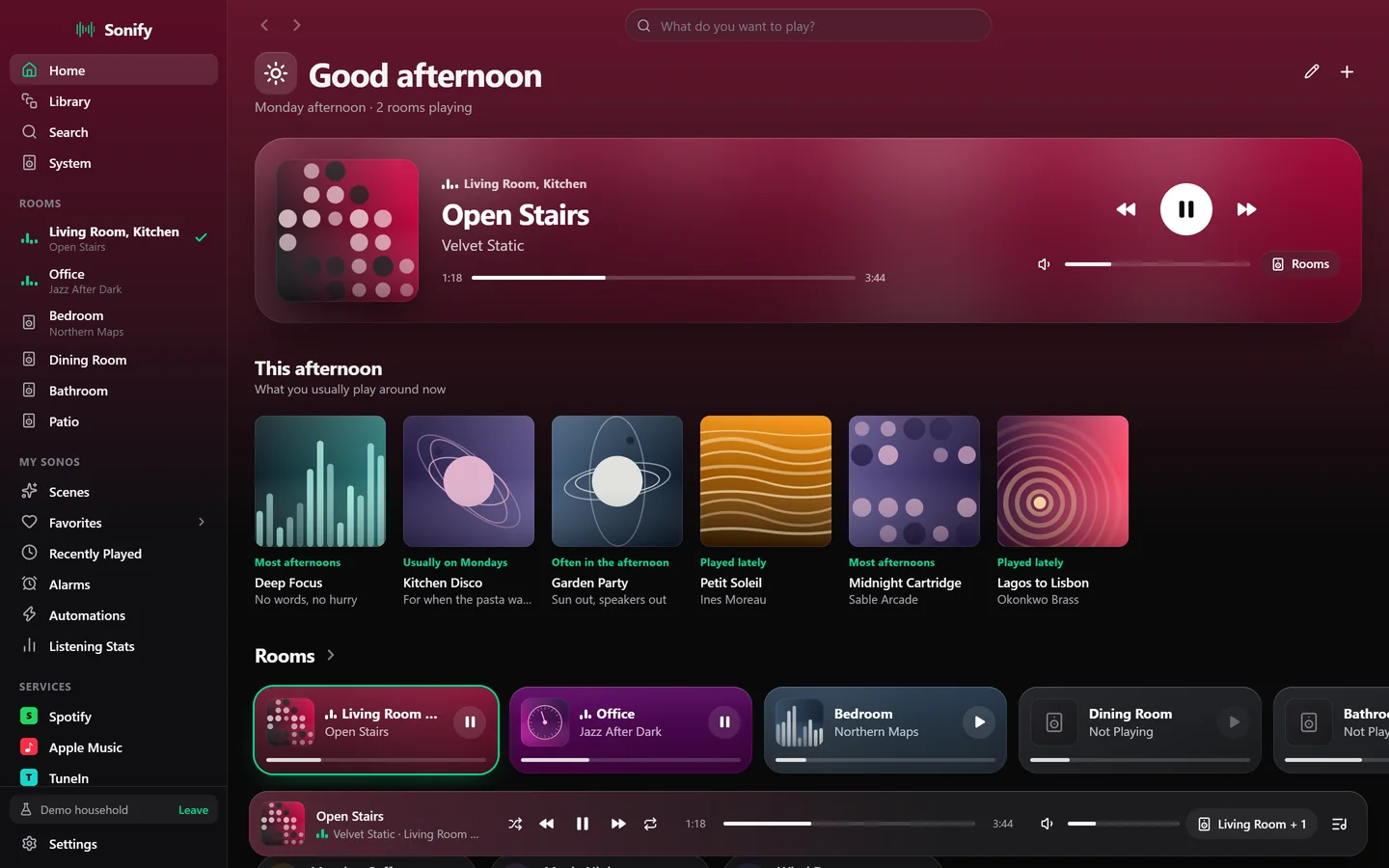
Home. Scenes, the next alarm, what’s playing, your rooms and playlists, all on one screen.
Apple Watch
Beyond the app
Widgets, Control Center controls, Siri and Shortcuts reach your speakers from wherever you already are.
Now Playing, with play, pause and skip. One scene, a tap away. Or a grid of four or eight.
The room, the track and the artist, under the clock.
Play/Pause and Next Track for a room you choose, Pause All, and a button for any scene. On iOS 18 and later.
Four phrases work with no setup at all.
Build your own automations from playback, volume, grouping, favourites, scenes and search.
Mac, Windows and the web
The same rooms, scenes and queue on your Mac or PC, with the queue beside what’s playing and every room in the sidebar.
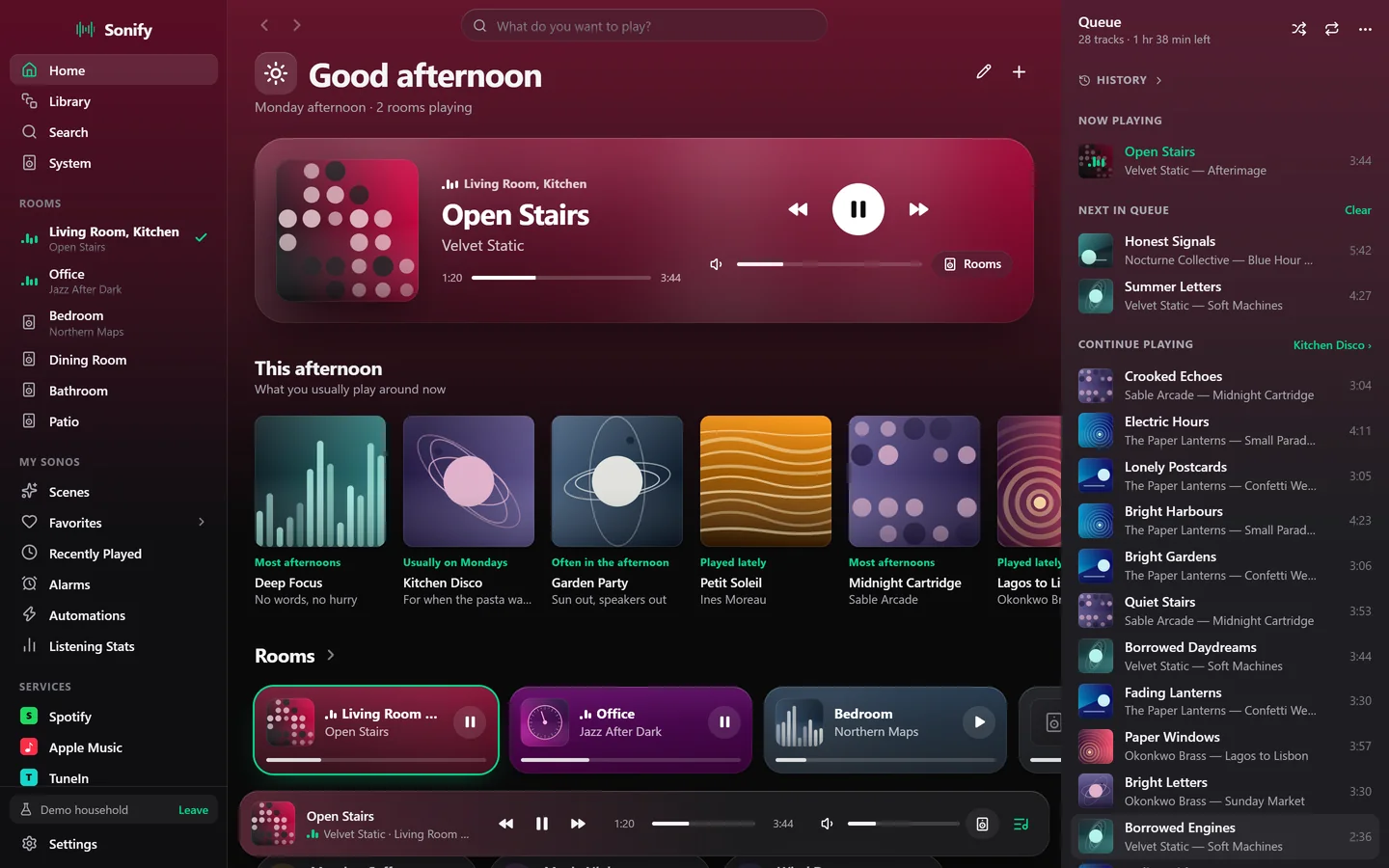
Send an album or playlist straight to the rooms you tick. They’re grouped when you press Play, not before.
Create, rename, reorder and delete playlists, and add tracks to them, on services that allow it.
Add a music service, or another account for one, without leaving the app.
When friends have the phone, tapping a track adds it to the queue instead of cutting off what’s playing.
Wake to a playlist or the Sonos chime, on the days and in the room you choose.
Your iPhone’s volume buttons set the room’s level, and playback controls sit on the Lock Screen.
Switch a group to any room’s line-in, and set a sleep timer from 15 minutes to two hours.
Reorder scenes, favourites, recently played and your pinned shelves.
Follows the system’s appearance or keeps the one you pick, and uses Liquid Glass on iOS 26.
An iPhone or iPad on iOS 17 or later, and a Sonos S2 system on the same Wi-Fi network. Sonos S1 systems aren’t supported.
Control Center controls need iOS 18. The Liquid Glass design appears on iOS 26. Writing and reading NFC tags needs an iPhone.
Sonify is also on Android, on Mac (macOS 11 or later) and Windows, and in your browser. All of them need a Sonos S2 system.
Yes. Open the demo household in your browser: a made-up home with rooms, scenes, playlists and alarms. Nothing in it reaches a speaker, so press anything.
The ones on your Sonos system, plus its local music library. You can add a service, or another account for one, right in Sonify.
Some features depend on the service: liking tracks, editing playlists and starting a radio are offered where the service supports them.
Automations, Listening Stats, Remote Control, Lyrics, Discover, Intercom, Party Jukebox and the Apple TV Remote. Everything else on this page comes with the app.
For everyday listening, it can. You still need the Sonos app to set up new speakers.
Check that your iPhone or iPad is on the same network as your speakers, and that Sonify is allowed to use the local network in iOS Settings.
If Sonify reports “Access Denied”, open the Sonos app, go to your profile, then Privacy & Security, and make sure Authentication is turned off. Then restart Sonify.
There is no Sonify account, and the apps contain no advertising or analytics. Some features keep data on Sonify’s server, identified by your Sonos household rather than your name: the play queue, your listening history, synced scenes and playlists, and, if you switch them on, server automations.
The Privacy Policy explains what, why and for how long. To have it all deleted, email [email protected].
No. Sonify is an independent app. It is not affiliated with, endorsed by or sponsored by Sonos, Inc.
Something else? Get in touch.
Get Sonify on every screen you own.
Every version needs a Sonos S2 system. Try the demo household without one.